Operations · India
DSA CRM in India: The Complete Operational Guide for 2026
- TL;DR
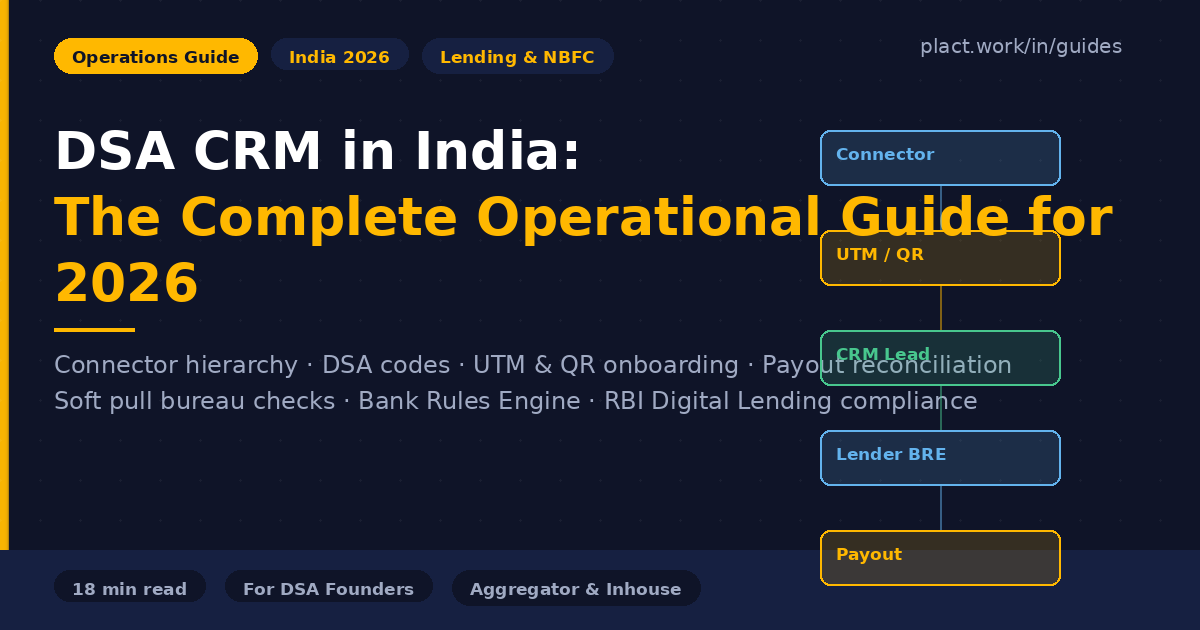
- A DSA CRM manages the full loan distribution lifecycle — from connector onboarding via unique UTM links and QR codes, through soft pull credit eligibility checks and BRE-driven lender selection, to payout reconciliation with lenders and commission distribution to connectors. The right CRM for a DSA aggregator gives every connector a tracked registration link, separates partner and customer portals, automates commission calculations, and maintains the audit trail required under RBI Digital Lending Guidelines.
Most content about DSA CRM software focuses on feature lists and pricing. This guide focuses on how DSA businesses actually operate — the connector hierarchy, how DSA codes work, how UTM links and QR codes solve attribution, how soft pull bureau checks feed the Bank Rules Engine for lender selection, how payouts get reconciled, and what RBI compliance actually requires of your CRM. This is the operational foundation for building a DSA that scales.
How the DSA Model Works in India
A Direct Selling Agent (DSA) is an entity registered with one or more banks or NBFCs to source loan applicants in exchange for a commission on each successfully disbursed loan. DSAs do not lend money themselves — they act as the distribution layer between customers who need credit and lenders who provide it.
The model exists because banks and NBFCs cannot cost-effectively reach every borrower segment themselves. A DSA with strong local relationships — in a city, a trade network, or a profession — can source qualified borrowers far more efficiently than a lender's own branch network. In return, the DSA earns a commission ranging from 0.3% to 2.5% of the disbursed loan amount, depending on the product.
The core activities of a DSA operation are: building a network of connectors who source leads, managing the loan application pipeline for each lead, tracking application status across multiple lenders, collecting and submitting documents, and reconciling payouts when disbursements are confirmed.
The Connector and Agent Hierarchy
Most DSA businesses do not source all leads themselves. They build networks of sub-agents — called connectors, channel partners, or field agents — who identify customers and refer them upward. Understanding this hierarchy is essential before selecting any CRM, because the CRM's entire architecture must reflect it.
Principal (Lender)
The bank or NBFC that originates and disburses the loan. They assign a unique DSA code to each registered DSA, track applications submitted under that code, and calculate commissions based on disbursements. Common principals include HDFC Bank, ICICI Bank, Bajaj Finserv, Poonawalla Fincorp, and dozens of smaller NBFCs.
DSA (Direct Selling Agent — the business)
The registered entity that holds DSA agreements with multiple lenders. The DSA is responsible for lead quality, documentation accuracy, and compliance with the lender's credit policy. Payouts from lenders flow to the DSA, which then distributes to its connectors.
Connector / Sub-Agent / Field Agent
An individual or small business that sources borrowers and refers them to the DSA. Connectors are not employees — they are independent channel partners paid on commission. A growing DSA aggregator may have anywhere from 10 to 5,000 active connectors across geographies.
This hierarchy is why CRM selection is so consequential. A CRM that counts connectors as paying users breaks the economics immediately. At 300 connectors paying ₹250/user/month, you are spending ₹75,000/month on CRM fees before earning a single commission. The right CRM gives connectors access to a separate partner portal — not a user seat.
DSA Codes: What They Are and Why They Matter
When a DSA signs an agreement with a lender, the lender assigns a unique DSA code — an alphanumeric identifier that ties every loan application submitted by that DSA to its account. The DSA code is the mechanism by which lenders track origination volume, calculate commissions, and manage the relationship.
A growing DSA will accumulate multiple codes — one per lender relationship. HDFC Bank gives you one code, ICICI gives you another, Bajaj Finserv a third. Each code operates independently on each lender's system. If you want to submit a borrower's home loan application to three lenders simultaneously, you submit separately under each lender's code.
What goes wrong without tracking DSA codes properly
DSAs with multiple lender relationships frequently lose track of which applications were submitted under which code, which codes have been renewed, and which commissions correspond to which disbursements. A CRM that cannot store and associate lender codes per product creates reconciliation problems that worsen as the network grows.
Every loan application in your CRM should carry: the lender it was submitted to, the DSA code used for that lender, the date of submission, and the current application status. This is the foundation of commission reconciliation later.
Onboarding Connectors: UTM Links, QR Codes, and Registration Portals
The most operationally significant decision a DSA aggregator makes is how it onboards and identifies connectors. This single decision determines whether commission attribution is automated or manual, whether disputes are resolvable or perpetual, and whether the business can scale without adding headcount to track lead sources.
The problem without tracked onboarding
Without a system, a connector WhatsApps you a customer's name and number. You manually note the connector's name next to the lead. The customer calls back a week later through a different channel. The loan disburses two months later. Who gets the commission? If you have 50 connectors and 200 active leads, this becomes unmanageable. Disputes become the norm.
Custom UTM links per connector
A UTM link is a URL with tracking parameters appended to it. A purpose-built DSA CRM generates a unique UTM link for each connector — for example, yourbrand.in/apply?utm_source=partner&utm_campaign=rajesh-kumar-kochi. When a customer clicks this link and fills the loan application form, the CRM automatically attributes that lead to the connector and logs the source in their profile. Every lead that enters through a connector's link is tagged at the moment of entry — no manual notation, no disputes, no ambiguity two months later when the loan disburses.
QR codes for field-based connectors
Many connectors operate offline — visiting businesses, attending events, or working in markets where customers do not click links. QR codes solve this. Each connector gets a unique QR code that resolves to their tracked UTM link. The connector prints the QR code on a business card, display board, or WhatsApp status. A customer scans it, fills the form, and the lead is attributed correctly. This is the bridge between offline relationship-based selling and digital lead tracking.
Partner registration portal
For DSA aggregators actively growing their connector network, a self-registration portal allows prospective connectors to apply to join without requiring back-office involvement at each step. The portal collects basic details, PAN, Aadhaar, bank account for payouts, and prompts for the DSA agreement to be signed digitally via Aadhaar eSign. Once approved, the connector automatically receives their unique UTM link and QR code by WhatsApp or email. Their profile is live in the CRM. Back-office only needs to review and approve — not manually onboard each connector.
Lead Pipeline Management
A loan lead moves through several stages from initial inquiry to disbursement. Each stage has specific actions, documentation requirements, and responsible parties. A CRM that does not model this pipeline accurately creates bottlenecks that slow down the entire operation.
Typical DSA lead stages
Inquiry received → Credit eligibility check (soft pull) → Product selection → Documentation collection → Lender submission → Under review at lender → Approved / Rejected → Disbursement confirmed → Commission receivable logged. Each stage needs: who is responsible, what documents are needed, what the next action is, and what the deadline is.
Lead deduplication across lenders
A customer cannot be submitted to the same lender twice for the same product within a defined period — lenders track this and reject duplicate applications, which harms the DSA's quality score. But a customer can be submitted to multiple lenders simultaneously for the same loan requirement. The CRM must prevent same-lender duplicates while enabling multi-lender submission. This is a feature that generic CRMs do not have and requires lender-specific deduplication logic.
Credit Bureau API Integration and Soft Pull Eligibility Checks
Before submitting a loan application to a lender, every DSA operation should perform a soft credit check to assess the borrower's creditworthiness and identify the right lender to approach. This step — often skipped by early-stage operations — directly protects the DSA's lender relationships and improves approval rates.
Soft pull before submission: the right workflow
The correct workflow is: collect the borrower's basic details → run a soft pull credit check inside the CRM → use the score and bureau data to determine which lenders are likely to approve → submit to those lenders only. Running a soft pull before submission prevents two common mistakes: submitting strong borrowers to conservative lenders (wasting a good lead) and submitting weak borrowers to multiple lenders simultaneously (triggering multiple hard enquiries that reduce the score further).
A soft pull retrieves the borrower's credit score and a summary of their credit history without appearing on their credit report as a formal enquiry. It does not affect the borrower's score. A hard pull — which lenders run at the time of formal application — does appear on the report and can marginally reduce the score. Too many hard pulls in a short window is a rejection signal for subsequent lenders. This is why the DSA should always use soft pulls internally and never use a lender's own bureau enquiry for eligibility assessment.
The three bureaus and their costs
India has four licensed credit bureaus: CIBIL (TransUnion), Experian, CRIF Highmark, and Equifax. CIBIL is the most widely used by lenders, but Experian and CRIF are gaining traction among newer NBFCs and fintech lenders. Soft pull costs: CIBIL approximately ₹100 per fetch, Experian and CRIF ₹35–₹50 per fetch. At scale, a DSA running 500 checks per month spends ₹17,500–₹50,000 on bureau fees. CRMs that bundle bureau access in the subscription (like DSACRM's 20+ API bundle) can be more cost-efficient than pay-per-fetch setups at volume.
What to do with the soft pull data
The soft pull result should inform two decisions: first, whether to proceed with the application at all (a score below 650 often results in rejection across most lenders); and second, which lenders to approach — some lenders accept lower scores with compensating factors, while others have hard cutoffs. This is where the Bank Rules Engine (covered in the next section) takes over.
The Bank Rules Engine (BRE): Matching Borrowers to the Right Lender
A Bank Rules Engine — sometimes called a Lender Offer Rules Engine or Bank/NBFC Rule Engine — is a logic layer inside the CRM that evaluates a borrower's profile against each lender's eligibility criteria and recommends the best-fit lenders for that loan application. It replaces manual judgment (which lender should I approach for this borrower?) with systematic, consistent decision-making.
What the BRE evaluates
The BRE takes the borrower's credit score (from the soft pull), income type (salaried / self-employed / professional), loan amount and tenure, property type (for home loans), existing liabilities, and any flags from the bureau report — and matches this against each lender's published and unpublished criteria. The output is a ranked list of lenders most likely to approve this specific borrower, along with indicative interest rates and maximum loan amounts.
Why this matters operationally
Without a BRE, a loan officer manually decides which lender to approach — which means decisions vary by officer, training, and familiarity with lenders. A new officer submits the same borrower to the wrong lender. A senior officer has learned from experience which lenders prefer which profiles, but that knowledge leaves with them. The BRE codifies institutional knowledge into a rule set that applies consistently across every application, every officer, every time.
BRE in DSACRM
DSACRM includes a built-in Bank/NBFC Rule Engine that connects the bureau data from the soft pull to the lender selection step. After the CRM retrieves the borrower's soft pull result, the BRE evaluates it against the configured lender rules and surfaces the top-matching lenders inside the application workflow. This eliminates the gap between eligibility check and lender selection that most DSA operations manage manually.
For a growing aggregator with 30+ active lender relationships, the BRE is especially valuable — a human cannot hold and consistently apply 30 sets of eligibility criteria in their head. The BRE does this automatically at the point of lead processing.
Payout Management and Commission Tracking
Payout management is where most growing DSA operations break down. The lag between disbursement and commission receipt, combined with multiple lenders paying on different cycles, makes reconciliation complex without a dedicated system.
Commission structures
Commission rates vary by lender and product. Home loan commissions typically range from 0.3% to 0.6% of disbursed amount. Personal loans range from 0.5% to 2%. Business loans and LAP range from 0.5% to 1.5%. Some lenders also pay trail commissions — a recurring percentage for the life of the loan. Every entry in the CRM needs to carry the commission rate applicable at the time of submission, not the current rate.
Connector commission splits
The DSA typically retains a portion of the lender commission and pays the remainder to the connector who sourced the lead. Common splits are 60:40, 70:30, or tiered based on connector performance. The split percentage needs to be fixed at the time the connector is onboarded and the CRM needs to apply it automatically when calculating connector payouts.
The reconciliation cycle
Lenders pay commission after disbursement, and the payment cycle varies: some pay monthly in arrears, some within 30 days of disbursement, some quarterly. The CRM should show: disbursements confirmed this month (by lender), commissions receivable, commissions actually received, connector payouts due, and connector payouts made. The gap between receivable and received is the float the DSA carries.
TDS and GST compliance on payouts
Commission income paid to connectors is subject to TDS under Section 194H at 5% when annual payouts to a single connector exceed ₹15,000. The CRM must track cumulative annual payouts per connector and flag when TDS becomes applicable. If the DSA's annual turnover exceeds ₹20 lakh, it must be GST-registered and collect 18% GST on commissions earned from lenders.
Document Management and KYC Workflow
Document collection is the back-office bottleneck in most DSA operations. A borrower's application requires identity proof, address proof, income proof, bank statements, and product-specific documents — and each lender may have slightly different requirements for the same documents.
WhatsApp-first reality
Most borrowers in India will send documents via WhatsApp regardless of what process the DSA has set up. Phase 1 operations typically use a named Google Drive folder per borrower linked to their lead in the CRM as a simple document store.
Digital KYC at scale
When onboarding 20+ new borrowers per month, manual document collection becomes a bottleneck. A digital KYC integration — linking directly to DigiLocker for consent-based document fetch, or running Aadhaar-based eKYC — eliminates the back-and-forth. The CRM logs the KYC status and stores the fetched documents against the lead.
Partner KYC for connectors
Connectors also need to be KYC-verified before payouts. At minimum: PAN (for TDS), bank account details (for NEFT payouts), and Aadhaar (for identity verification). eSign tools like SignSetu (₹15/signature) allow DSA agreements to be signed digitally with Aadhaar OTP, making the agreement legally valid and the connector's identity tied to UIDAI at the moment of signing.
The Three-Stage CRM Progression for DSA Businesses
No single CRM is right for every stage of a DSA business. The right tool at month one is wrong at month eighteen, and the right tool at 50 partners is wrong at 300. Understanding the natural upgrade path prevents the most common mistake: starting with a tool that can't scale, or overspending on capability you don't yet need.
Stage 1 — Getting Started: Zoho CRM (free) or MyLoanCRM
For a brand-new operation with under 20 loan officers or under 30 active partners, the priority is getting organised without unnecessary cost. Zoho CRM's free tier (up to 3 users) works for any operation already in the Zoho ecosystem — configure two pipelines (partner + customer) and manage manually. Partners are contacts, not users, so there's no per-partner cost. MyLoanCRM (under ₹1,500/month for up to 20 agents) is the better choice for traditional inhouse teams — it's purpose-built for loan DSAs, has bureau integrations, and requires minimal configuration. Neither platform is suitable for aggregators beyond 20–30 partners.
Stage 2 — Growing Network: DSACRM Professional
When the operation has 20+ active connectors, consistent monthly revenue, and the manual coordination overhead is becoming visible — upgrade to DSACRM Professional (₹5,999/month, unlimited users). This is the first point where the partner portal separation, UTM/QR attribution, WhatsApp automation, BRE, and commission tracking all earn their keep. The unlimited user model means adding 50 or 150 connectors doesn't change the CRM bill. This stage covers most DSA aggregators from their first real scale up to a few hundred active partners.
Stage 3 — Enterprise Scale or Custom: DSACRM Enterprise / LeadSquared / Custom Build
At ₹1 Crore+ monthly AUM with 200+ active connectors, the operation needs full white-labelling, custom domain partner portals, and potentially custom integration with lender systems. DSACRM Enterprise (custom pricing) provides this with complete white-labelling under your brand. For digitally-led operations with heavy paid acquisition and a dedicated marketing team, LeadSquared's marketing automation layer becomes worth the premium at this scale — pair it with a DSA-specific tool for the partner network side. For operations processing ₹50 Crore+ monthly, a custom-built partner portal and internal tooling often provides better ROI than any off-the-shelf product.
Back-Office Team and Operations
A DSA operation's back-office is responsible for everything that happens after a lead is generated: document collection, application submission to lenders, status follow-up, query resolution with lender credit teams, and payout tracking.
Typical back-office roles
A growing DSA aggregator (50–200 active connectors) typically needs: one relationship manager per 20–30 connectors, one loan processor per 50–80 active applications, one payout executive for commission reconciliation, and one compliance officer for RBI-related documentation.
CRM as the operating system
The CRM should eliminate the need for WhatsApp group coordination as the primary back-office tool. If your team is running operations primarily through WhatsApp threads, the CRM is not doing its job. The CRM should be the source of truth for every lead status, every pending document, every lender submission, and every payout.
Your Digital Presence: Website, WhatsApp, and CRM as One System
A DSA's digital presence serves three distinct audiences: prospective borrowers researching loan options, prospective connectors evaluating whether to join the network, and existing connectors submitting leads and tracking their pipeline.
The customer-facing website
A DSA website for customer acquisition needs: clear loan product pages, an eligibility calculator or inquiry form that captures leads directly into the CRM, trust signals (lender logos, team credentials, testimonials, GST registration details), and a WhatsApp chat button. The website's lead forms should connect directly to the CRM via API — every form submission becomes a new lead with source attribution. If the visitor came through a connector's UTM link, that attribution is preserved through the website submission.
The connector-facing portal
Connectors need a separate interface — not the customer website and not the internal CRM dashboard. The connector portal shows their active leads and current status, their unique UTM link and QR code for sharing, their commission pipeline, and leaderboard rankings. This portal must be accessible on mobile, fast to load on 4G connections, and simple enough that a non-technical connector can navigate it without training.
WhatsApp as a channel, not a system
WhatsApp is where most borrowers and connectors will initiate contact regardless of what process the DSA sets up. A dedicated WhatsApp Business number (separate from personal numbers) connected to the CRM via API allows incoming messages to be logged against leads automatically. Two numbers — one for partners, one for customers — is the correct setup.
RBI Digital Lending Guideline Compliance
The RBI's Digital Lending Guidelines impose specific requirements on entities involved in the digital origination of loans — which includes DSA operations that use digital channels. Non-compliance exposes both the DSA and its lender partners to regulatory risk.
Key requirements relevant to DSA operations
Consent capture: Borrowers must explicitly consent to data collection before any credit check or application processing — the consent must be logged with a timestamp. Data localisation: Customer data must be stored on servers in India. Audit trail: Every interaction with a borrower's data must be logged and immutable. Fair Practices Code: The DSA must follow the lender's FPC in all customer-facing interactions.
Practical steps
Use a CRM that stores data in India, logs consent at the time of lead creation, and maintains an immutable audit trail. Ensure connector onboarding agreements include clauses on data handling and customer interaction standards.
Frequently Asked Questions
What is the difference between a DSA and a connector?
A DSA is a formally registered entity with signed agreements with lenders, holding DSA codes per product, and legally responsible for the quality and compliance of applications submitted. A connector is an individual who sources leads and refers them to the DSA — they are not registered directly with lenders and are paid by the DSA, not the lender.
Can a connector have their own DSA code?
Yes, an individual can apply for their own DSA registration directly with a lender. In that case, they are a DSA in their own right, not a connector. When a connector registers their own DSA code, they can no longer be a connector for you — they become a peer.
How are commissions taxed for connectors?
Commission income is taxable as business income. If annual payouts from a single DSA exceed ₹15,000, the DSA must deduct TDS at 5% under Section 194H. Connectors with turnover above ₹20 lakh must be GST-registered and raise invoices.
What should a DSA website include to build trust with borrowers?
Lender logos and empanelment proof, the DSA's GST registration number, team profiles with credentials, a clearly stated privacy policy, testimonials from verified borrowers, and a WhatsApp contact option. DSAs that also show their connector network build additional credibility for borrowers who prefer dealing through a local referral.
Key takeaways
Never use a CRM that counts connectors as paying users — at 100 connectors, per-user pricing destroys the economics of an aggregator model.
UTM links and QR codes per connector, generated at onboarding, are the only scalable way to attribute leads and commissions accurately across a large network.
Always run a soft pull credit check before submitting to any lender — it protects the borrower's score, improves approval rates, and feeds the BRE with the data it needs.
A Bank Rules Engine (BRE) eliminates manual lender selection — it evaluates every borrower against every lender's criteria and routes applications to the right lenders automatically.
The natural CRM upgrade path: Stage 1 (Zoho/MyLoanCRM) → Stage 2 (DSACRM Professional) → Stage 3 (DSACRM Enterprise or custom) — match the tool to your current scale.
TDS under Section 194H applies at 5% when annual payouts to a single connector exceed ₹15,000 — the CRM must track cumulative annual payouts per connector.
Want to know what your site needs? Tell us on WhatsApp.
Chat on WhatsApp→